

When to Use Custom Secrets
Use custom secrets when Happycapy needs to access a service or tool on your behalf. Common examples include:- checking GitHub repositories, pull requests, or workflow runs
- creating or updating Notion pages
- deploying or inspecting apps on platforms like Fly.io
- running scripts that call your own Stripe, analytics, database, or internal APIs
- using command-line tools that expect credentials from environment variables
Add a Secret
- Open Settings.
- Go to Sandbox.
- Find Custom secrets.
- Click Add.
- Enter a Key, Value, and Description.
- Click Create.
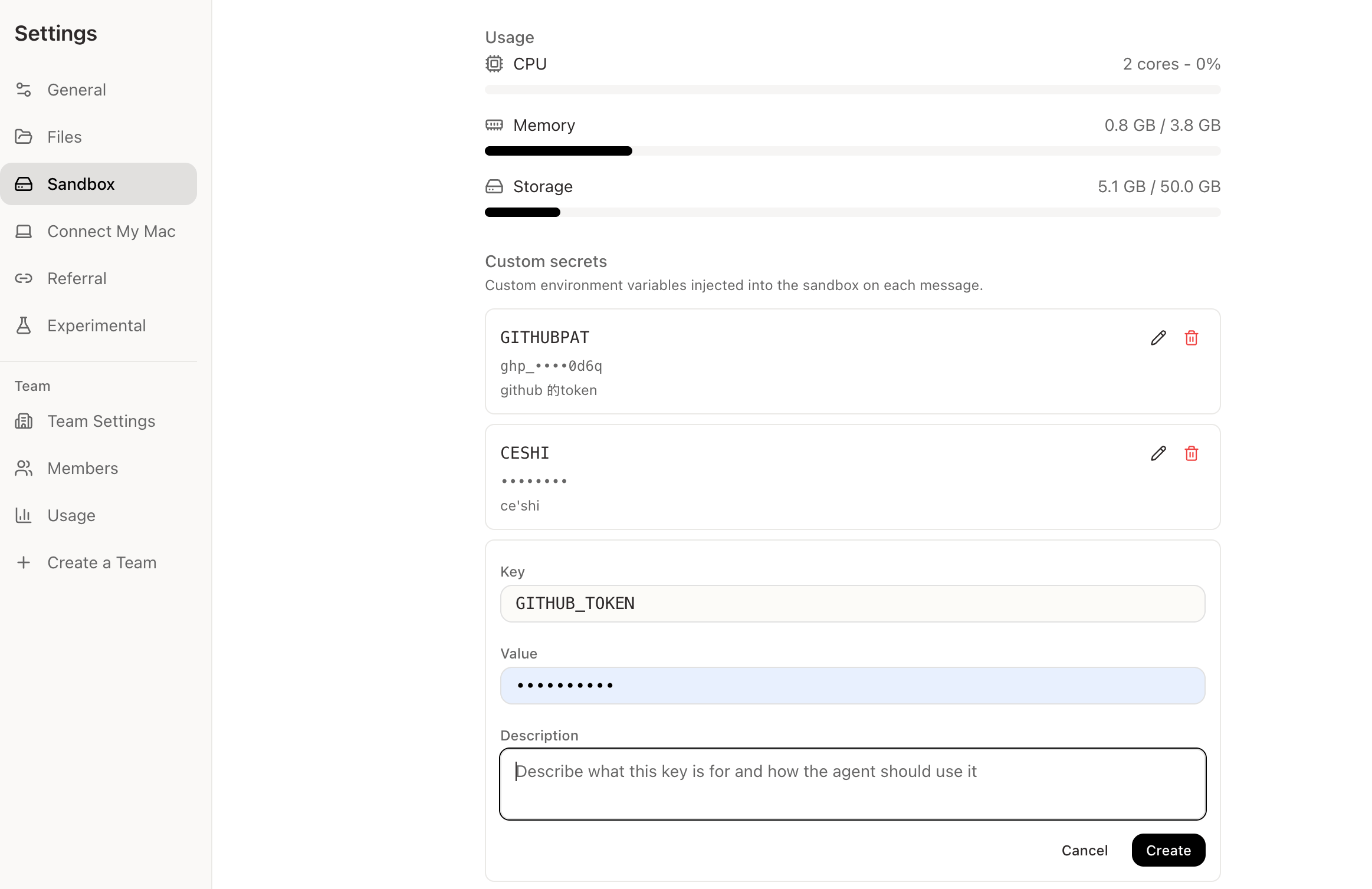
What Each Field Means
Write descriptions as short instructions, not just labels.
Good:
Common Examples
These names are examples. Always use the key name expected by the tool, SDK, or CLI you plan to use.