

What is Connect My Mac?
Most tasks can run inside Happycapy’s cloud sandbox. Use Connect My Mac when a task needs files on your Mac, local apps, or tools you already have installed. Once connected, Happycapy can run tasks on your Mac and connect your cloud Project with your local environment. You can connect more than one Mac and disconnect a device at any time.When to use Connect My Mac
- You need to work with files stored on your Mac
- You need to use an app installed on your Mac
- You need to run a local script, CLI, or development environment
- You want to move work between a cloud Project and your local setup
Connect a Mac
Open Settings, then go to Connect My Mac. To connect a device: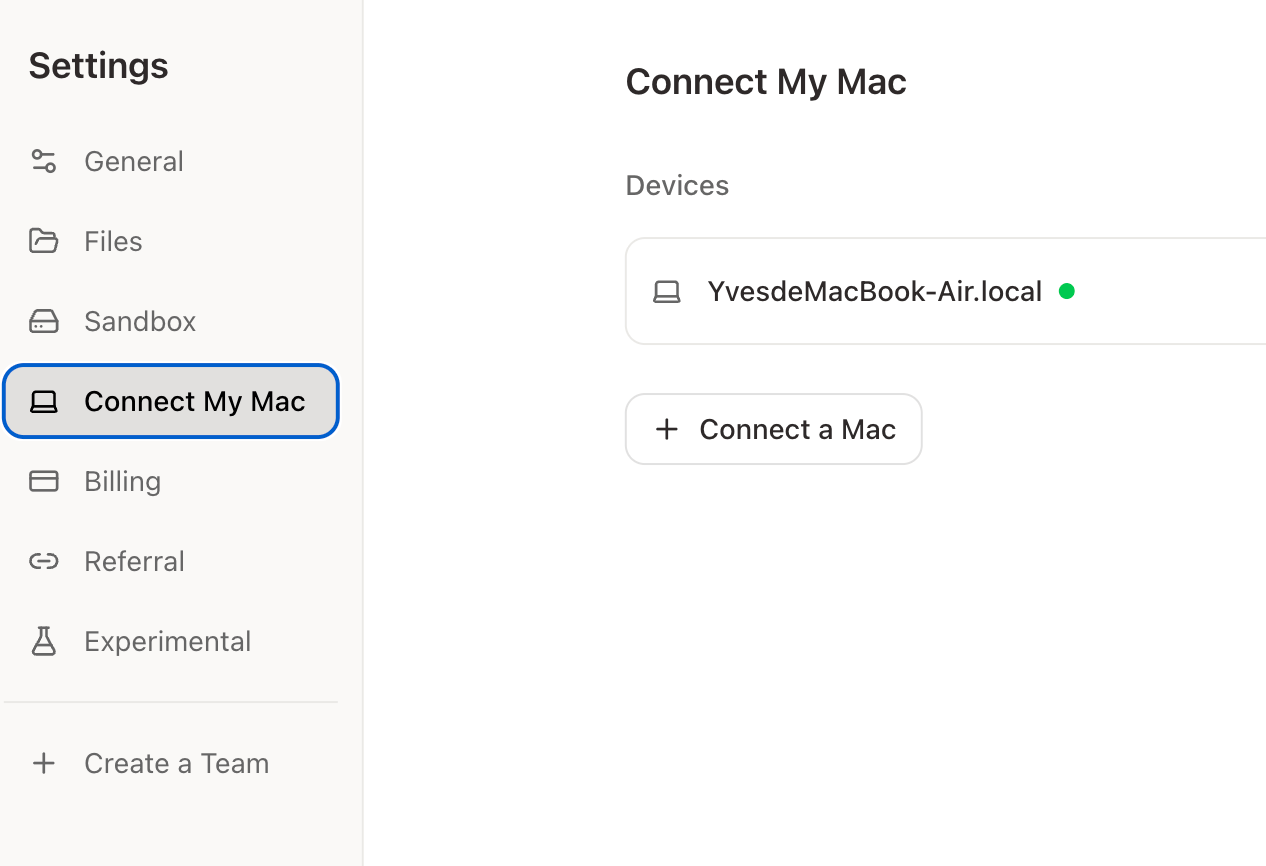
- Click your avatar in the bottom-left corner
- Open Settings
- Go to Connect My Mac
- Click + Connect a Mac
- Follow the setup instructions
What Happycapy can do on your Mac
With a connected Mac, Happycapy can:- read, organize, and save local files
- run local commands, scripts, and CLI tools
- use desktop apps to complete tasks
- continue work between the cloud sandbox and your Mac