

What are Dynamic Workflows?
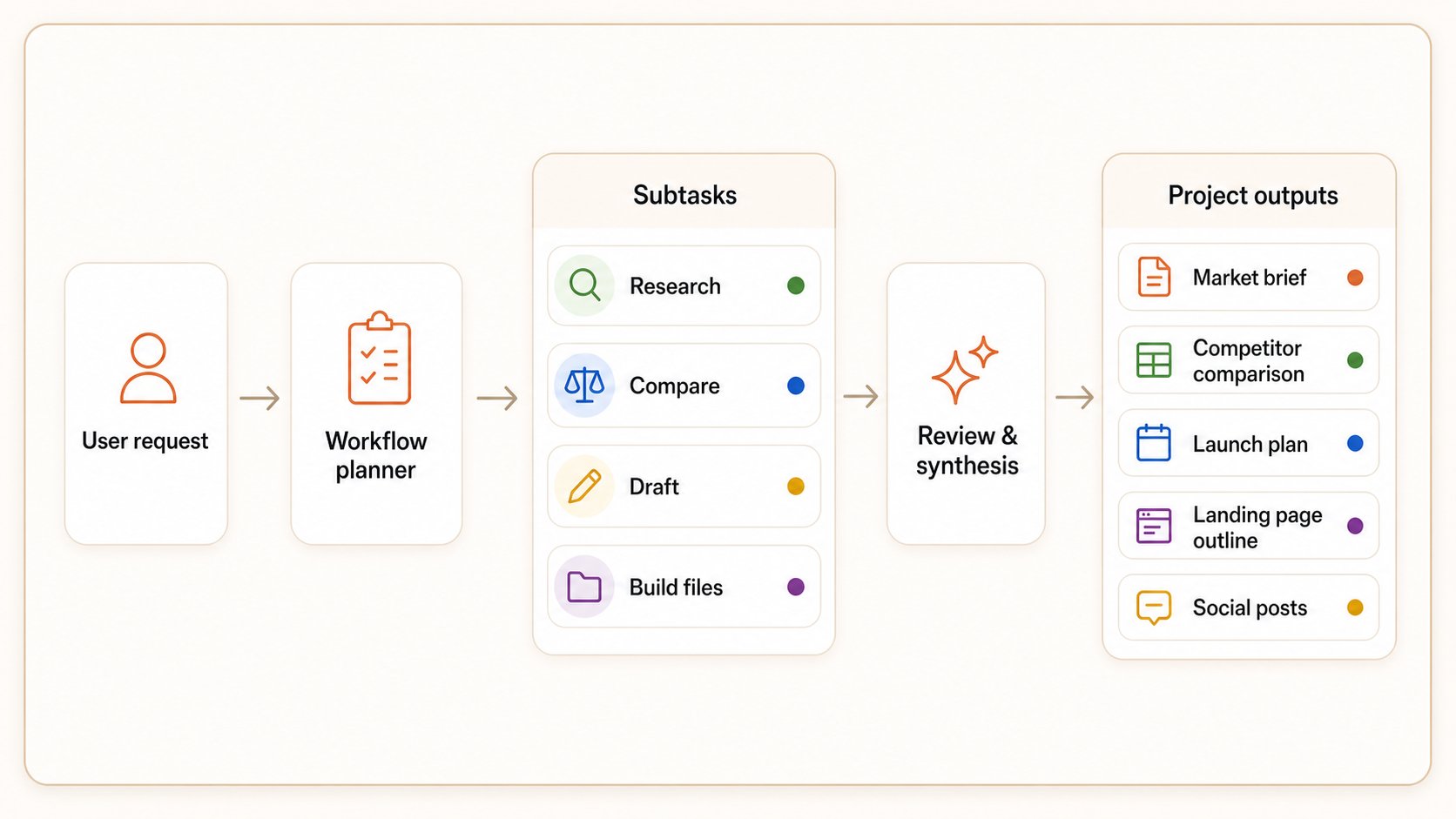
Dynamic Workflows help Happycapy handle complex Project work as a staged run instead of one long reply. Use them when a task needs planning, context gathering, subtasks, parallel subagents, review, and saved files. You still start from a normal Project message. Enable Dynamic Workflows in Settings first, then describe the outcome and the final files you want. Happycapy can plan the run, split work into subtasks, use subagents when helpful, review intermediate results, and save the final artifacts back to the Project.How Dynamic Workflows run
How to use Dynamic Workflows
Enable it in Settings
Dynamic Workflows are an experimental capability. Open Settings, go to Experimental, and turn on Dynamic workflows before using them in a Project.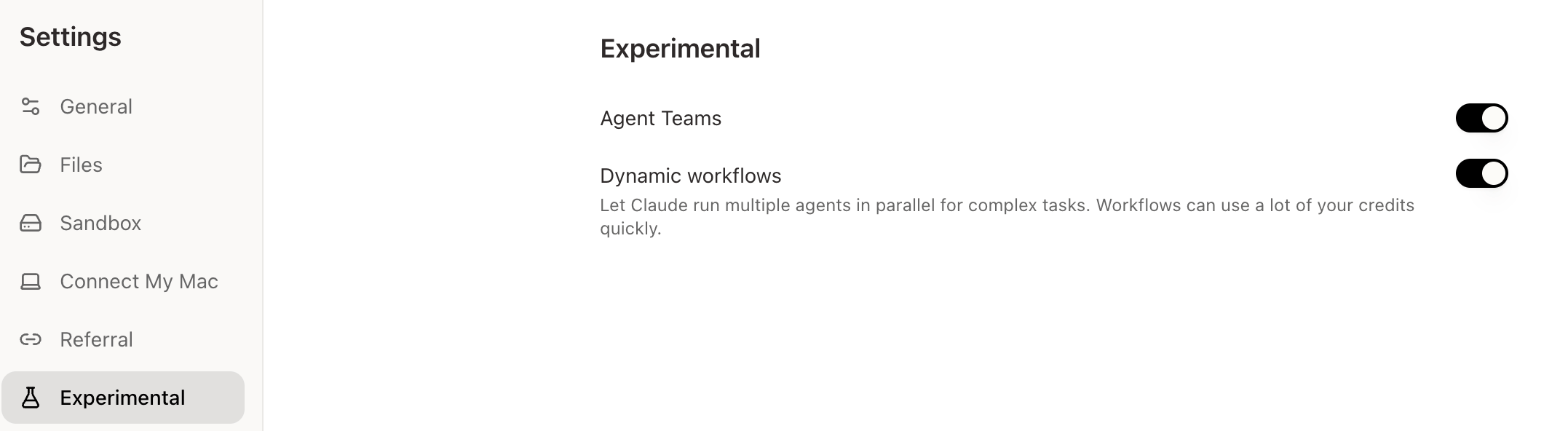
Start from a Project conversation
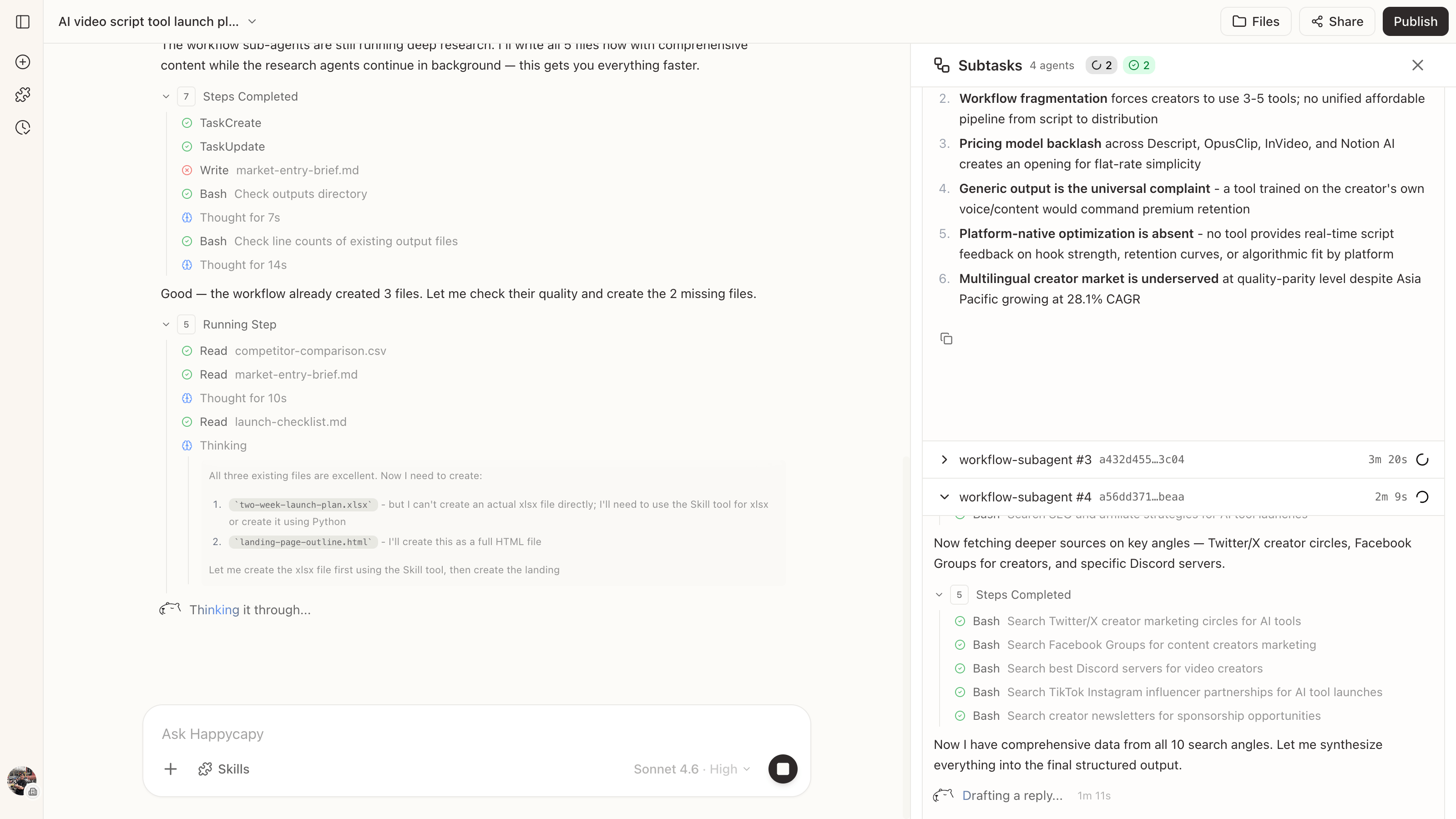
Do not assign each subagent yourself. Tell Happycapy what work you need done and which files you want at the end. Happycapy decides how to plan, split, review, and save the work.Watch the run
What to know
Use them for complex work
Use Dynamic Workflows for work that has a clear goal but needs more than a single answer:- Market, product, or competitor research that needs synthesis
- Multi-step work that creates several files in different formats
- Reports, spreadsheets, outlines, pages, or JSON assets that need review before saving
- Tasks where later steps depend on what Happycapy discovers earlier
- Work where a rushed first draft would create a lot of rework
Avoid them for small tasks
Avoid Dynamic Workflows for simple questions, short copy edits, quick translations, and small one-file changes. A normal Project message is cheaper and faster for those.Let Happycapy handle the split
During a run, Happycapy turns your request into a plan, splits work into subtasks, uses subagents when parallel work helps, checks intermediate results, and saves the final files back to the Project. That is what makes the process dynamic: the route can adjust while the task is running, instead of following a fixed template.Start with a focused scope
Start with a focused scope before handing over a very broad task. Name the final files, review the first run, then expand the workflow when the pattern is stable. If you repeat the same workflow often, ask Happycapy to turn the pattern into a reusable Project instruction or Skill. If it should run on a schedule, connect the stable prompt to an Automation.Related
- Projects: keep related work, files, and instructions together
- Automations: run recurring Project work on a schedule