

Beta: Automations is in early access. Functionality will continue to improve.
What is an Automation?
An Automation is a scheduled prompt that runs inside a Project. It can use the Project’s files, session context, and instructions, then save or send the result. Automations are useful when the work is repeatable, has a clear schedule, and produces an output you can review.When to use Automations
Use Automations for recurring work with clear inputs and a repeatable output:- Daily or weekly summaries
- Project status reports
- Scheduled file processing
- Recurring research or monitoring
- Periodic GitHub, Notion, or email checks
- Work that should continue while you are away
Automations work best when the prompt explains the goal, source material, output format, and what to do if there is nothing new.
Create an Automation
You can create an Automation from the sidebar. You can also ask Happycapy to create one from a Project conversation. To use the sidebar, click Automations, then Create Automation. In a Project conversation, describe what should run and when: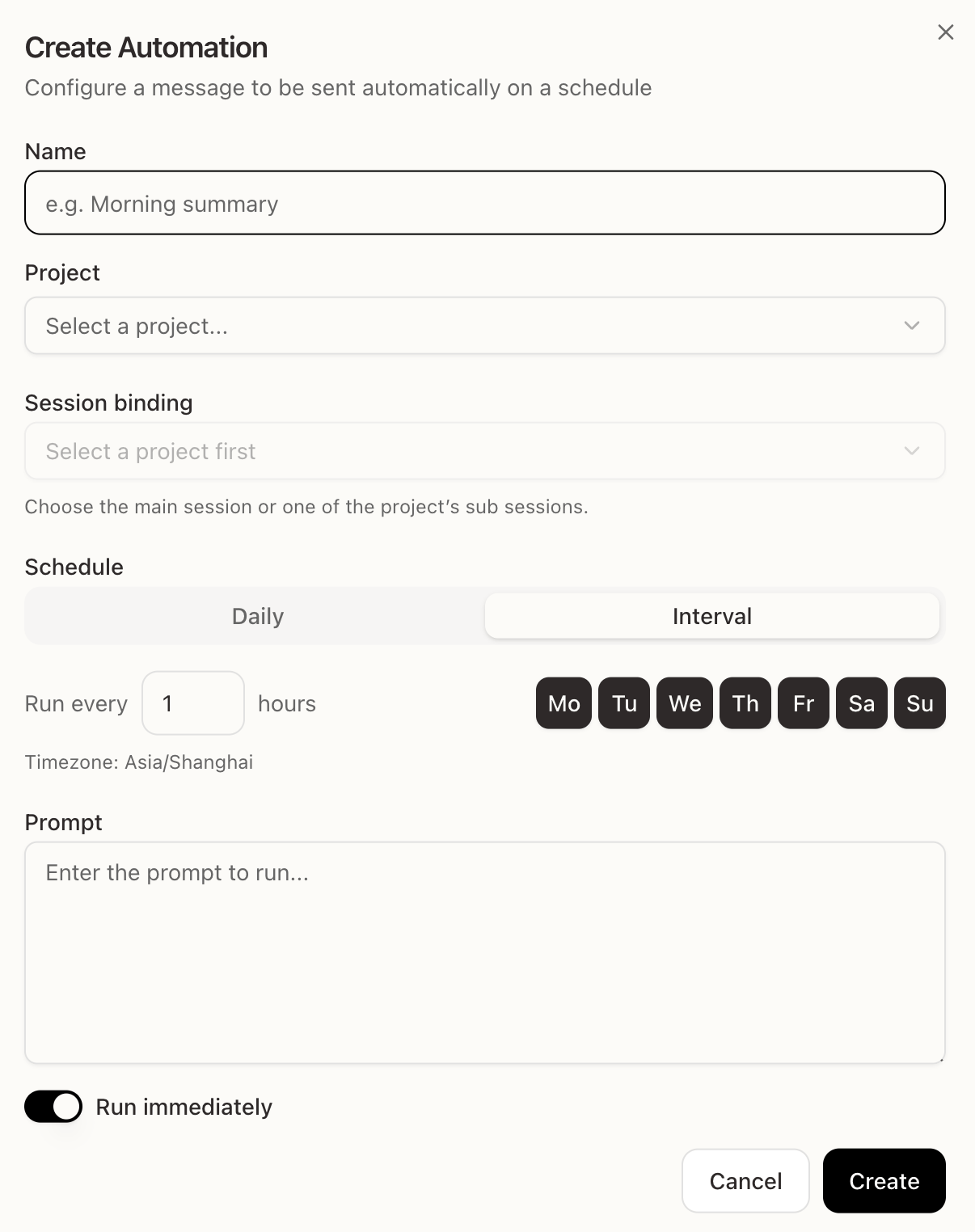
- Name — a short label, such as “Morning summary”
- Project — the Project where the Automation should run
- Session binding — the main session or a session inside that Project
- Schedule — daily at a specific time, or on an interval
- Prompt — the instruction Happycapy will run
- Run immediately — run once now in addition to the schedule
What each field means
- Project keeps the Automation tied to the right workspace and files.
- Session binding decides which session context the prompt should continue from.
- Schedule controls when the Automation runs.
- Prompt is the instruction Happycapy executes each time.
- Run immediately lets you test the prompt once before relying on the schedule.
Write a reliable prompt
Automations run without you typing the prompt again, so the prompt should be self-contained.- State the goal and output format.
- Mention the source files, folders, or services to check.
- Tell Happycapy where to save or send the result.
- Include fallback behavior, such as “If there is nothing new, write a short no-update note.”