

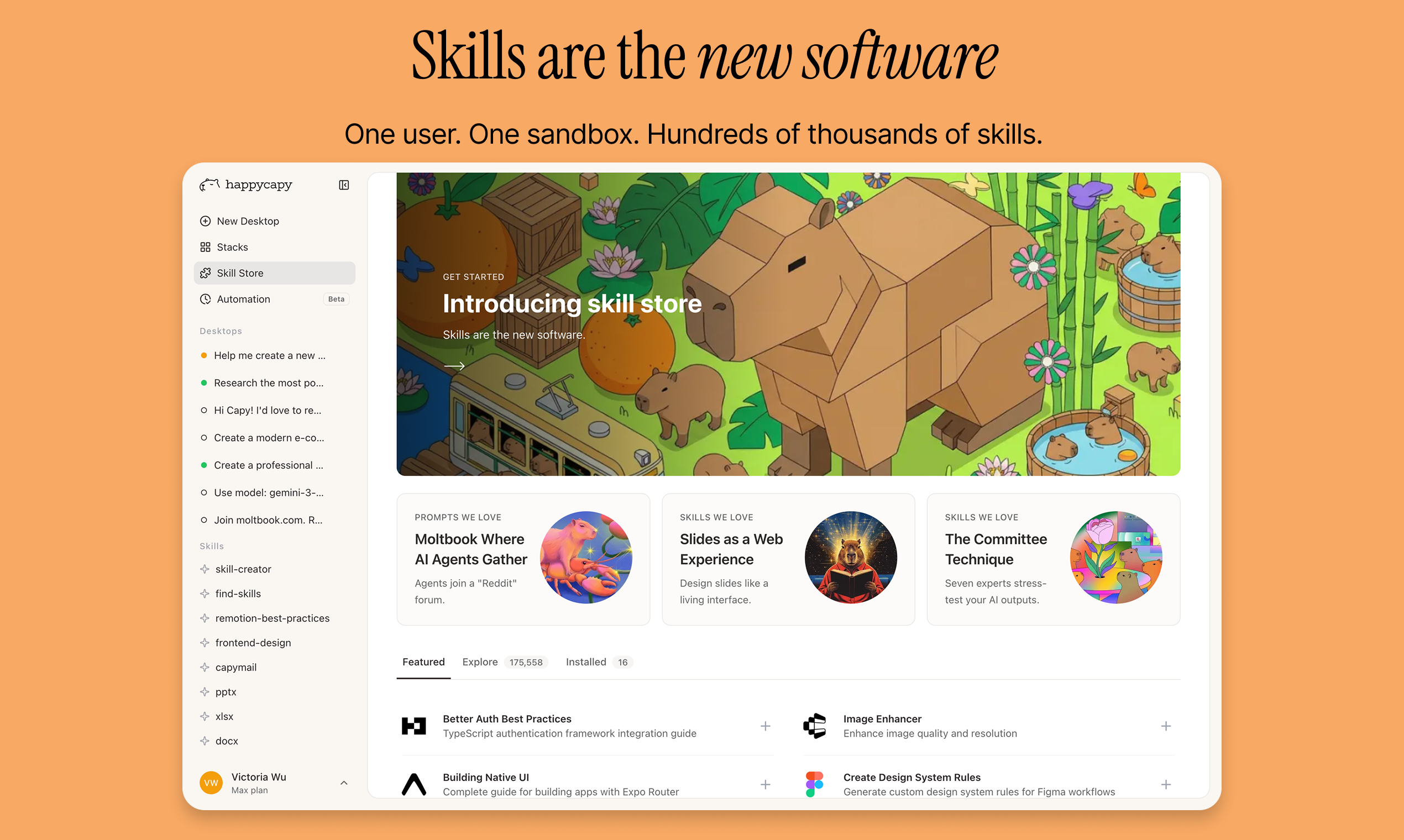
What are Skills?
Skills are “ability plugins” for Happycapy that turn AI from “good at chatting” to “good at working.” They’re not just simple text instructions. Skills can:- Call external APIs: Connect to GitHub, Notion, Google, and other third-party services for cross-platform data synchronization
- Run Python/JavaScript scripts: Do complex data processing, image generation, video editing, and more
- Use MCP protocol (Model Context Protocol): Snap together various tool capabilities like Lego bricks
Skills are the next generation of software. They’re lightweight (a few KB text files), open source (GitHub shared), and easy to edit (5 minutes to customize). No bloated apps to install. Just one Skill gives you professional functionality.
What Skills Can Do
Frontend Slides
Create richly animated HTML presentations with interactive effects and modern design
3D Web Experience
Build immersive 3D web experiences using Three.js and WebGL technologies
Redbook Creator
Create Xiaohongshu-style posts with titles, text, tags, and beautiful pictures
Resume Optimizer
Optimize resumes for specific job descriptions with data-driven improvements
Why Skills are “Next Generation Software”
Traditional Software
- Several hundred MB installation package
- Paid subscription system
- Fixed functionality, can’t be changed
- Closed source, opaque
Skills (Next Generation)
- Several KB text files
- Completely free and open source
- Easy to edit and customize
- Open source and learnable
How to Use Skills
Using Skills is easy. Happycapy automatically calls them based on your needs.Method 1: Natural Language (Recommended)
Just say what you want to do, and Happycapy will automatically select the appropriate Skill.Method 2: Manual Selection
You can click the Skills button in the dialog box or enter the slash command/ to bring up the Skill selection menu. Browse installed Skills and manually select one for use.
How to Find Skills
Skills are open source. Developers around the world contribute practical skills. You can find them several ways:Method 1: Ask Happycapy Directly (Easiest)
find-skills function to search the open source community and recommend Skills that fit your needs.
Method 2: Search on Community Platforms
GitHub
Search for “Skills” - thousands of open source skills available
SkillsMP
Skills Marketplace - browse skills by category
SkillsSH
Community sharing platform - discover creative skills from other users
All Skills are open source. You can view the source code, learn from it, modify it, and share your improvements!
How to Create Skills
Creating a Skill is simple. Just describe the functionality you want in natural language.Complete Example: Job Resume Optimizer
The pain point
The pain point
“I submitted 100 resumes but got no response and don’t know how to change them.”
The solution
The solution
Create a Skill dedicated to optimizing your resume.
Using your new Skill
Using your new Skill
Once created, the Skill is saved in your Skill Store. Every time you submit your resume in the future, you only need to upload a new JD, and your Skill will automatically optimize it!
Creating Steps
Just tell Happycapy what skill you want to create! Describe:- Name: What to call your Skill
- Function: What inputs it needs
- Process: How it should work
- Output: What it should produce
Skill Categories
Happycapy supports Skills across many domains:AI and Multimedia
- AI image generation (FLUX, Gemini, 50+ models)
- AI video generation (Veo, Seedance, Wan, 40+ models)
- Video processing and editing (FFmpeg, subtitles, editing)
- Image enhancement and processing
Design and Frontend
- 3D web experiences (Three.js, React Three Fiber)
- Frontend design systems
- Canvas design tools
- Presentation generation (HTML/PPT)
Content Creation and Marketing
- Xiaohongshu content generation
- Reddit post creation
- SEO content writing
- Multi-platform marketing automation
Development Tools
- GitHub integration
- MCP integration
- Better Auth best practices
- Vercel/React/Next.js best practices
Data and Documents
- Exploratory data analysis
- Stock analysis
- PDF/DOCX/XLSX processing
- Data storytelling
Academic and Research
- Academic paper writing
- Research assistant
- Scientific critical thinking
- Hypothesis generation
The Charm of Skills
Lightweight
A text file, a few KB, taking up no space
Open Source
GitHub shared, contributed by global developers
Easy to Edit
Customize it to what you want in 5 minutes
Free
All Skills are open source and free
Community
Share your creativity and use the wisdom of others
Next Generation
This is what the next generation of software looks like!
Next Steps
Explore the Skill Store
Browse and install Skills from the community to extend Happycapy’s capabilities