

Beta: Automations is in early access. Functionality will continue to improve.
Overview
An Automation sends a prompt to a Desktop on a schedule. You write the prompt, pick when it runs, and Happycapy executes it automatically — no manual intervention needed.Creating an Automation
Click Automations in the sidebar, then Create Automation.Set it and forget it
Schedule prompts to run on autopilot.
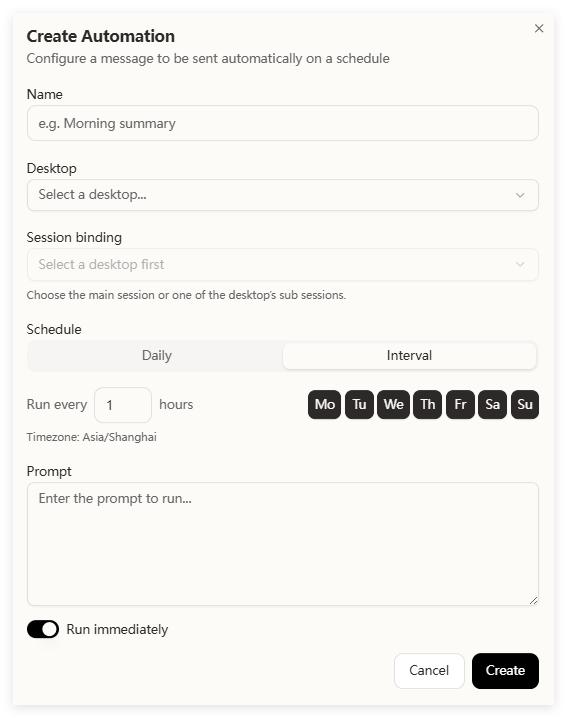
- Name — something descriptive (e.g. “Morning summary”)
- Desktop — which Desktop to run in
- Session binding — which session within that Desktop (or the main session)
- Schedule — Daily at a specific time, or an interval (every N hours). Pick which days of the week.
- Prompt — the message Happycapy will execute
- Run immediately — toggle on to run once right now in addition to the schedule