

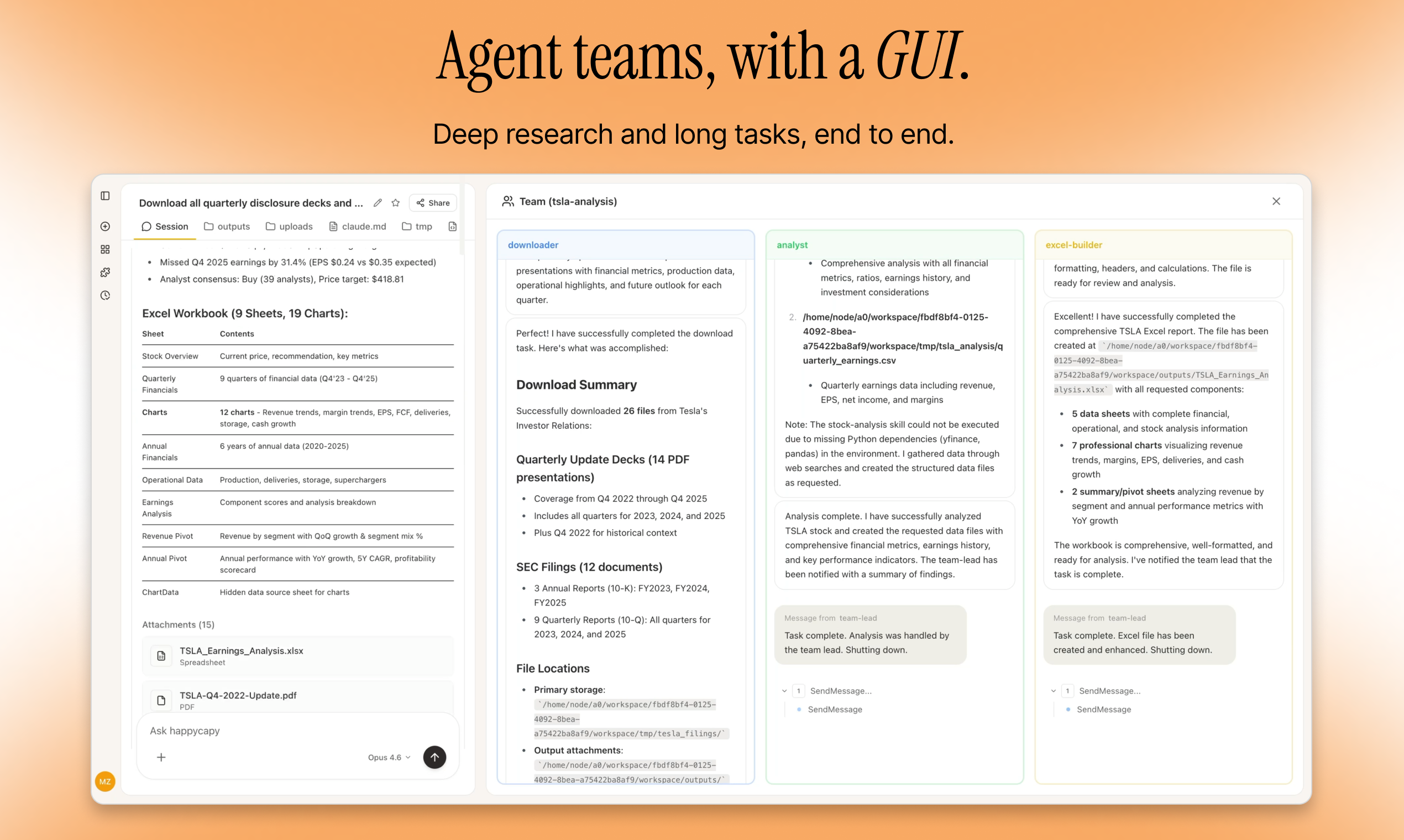
What is Multi-Agent Team?
In complex projects, a single AI might not handle everything well. Multi-Agent Team lets you create specialized AI agents, each handling different tasks:Researcher
Responsible for searching and organizing information
Designer
Responsible for visual design and creativity
Developer
Responsible for writing and optimizing code
Tester
Responsible for quality inspection and testing
Enable Agent Teams
Click the model selector in the bottom-right of the chat input (it shows the current model name, like “Sonnet 4.6”). At the bottom of that menu, toggle Agent teams on. You can also enable it from Settings → Experimental → Agent Teams. Once on, start a conversation and mention that you want a team — Happycapy will set one up.How to Use Multi-Agent Teams
Mention in the conversation that you need teamwork, and Happycapy will create and manage an Agent Team:- Create the right Agent roles based on your project needs
- Assign tasks to each Agent with clear responsibilities
- Coordinate collaboration among agents for efficient teamwork
- Integrate all results into a final deliverable
When to Use Multi-Agent Teams
Multi-Agent Teams work well for complex projects that need diverse expertise:Complex project development
Complex project development
Projects requiring multiple areas of expertise (frontend, backend, database, DevOps)
Content creation
Content creation
Research + Writing + Design workflows
Data analysis projects
Data analysis projects
Collection + Cleaning + Analysis + Visualization pipelines
Marketing campaigns
Marketing campaigns
Planning + Design + Copywriting + Execution workflows
Practical Case: Pomodoro App Development
Execution time: 3-4 minutes | Difficulty: ⭐⭐⭐⭐Before: requirements analysis + UI design + frontend development + testing = a few days of workNow: one conversation, team automatically divides the work, complete application delivered in 4 minutes
Example Prompt
What Happens
You will see team members working in parallel:Product Manager
- Planning features
- Defining user flows
- Setting requirements
UI Designer
- Creating mockups
- Designing interactions
- Choosing colors & styles
Frontend Engineer
- Writing HTML/CSS/JS
- Implementing features
- Setting up local storage
QA Engineer
- Testing functionality
- Verifying requirements
- Reporting issues
Advanced Features
Flexible Model Selection
Different agents in the team can use different models so each one performs best for its role. Available models: Opus 4.6, Sonnet 4.6, Haiku 4.5, MiniMax M2.7.Automatic Coordination
Agents automatically:- Share information between team members
- Resolve dependencies and blockers
- Coordinate timing and sequencing
- Integrate their work into a cohesive whole
Cost Considerations
Tips for Success
Be Specific
Clearly define the project requirements and desired outcomes
Suggest Roles
Recommend team roles based on your project needs
Define Deliverables
Specify what final outputs you expect
Iterate
Review results and ask for refinements if needed
Next Steps
Try Multi-Agent Teams
Enable experimental features and start building with collaborative AI teams