

This feature is currently in beta. You can enable automation to keep the process running persistently.
Preview
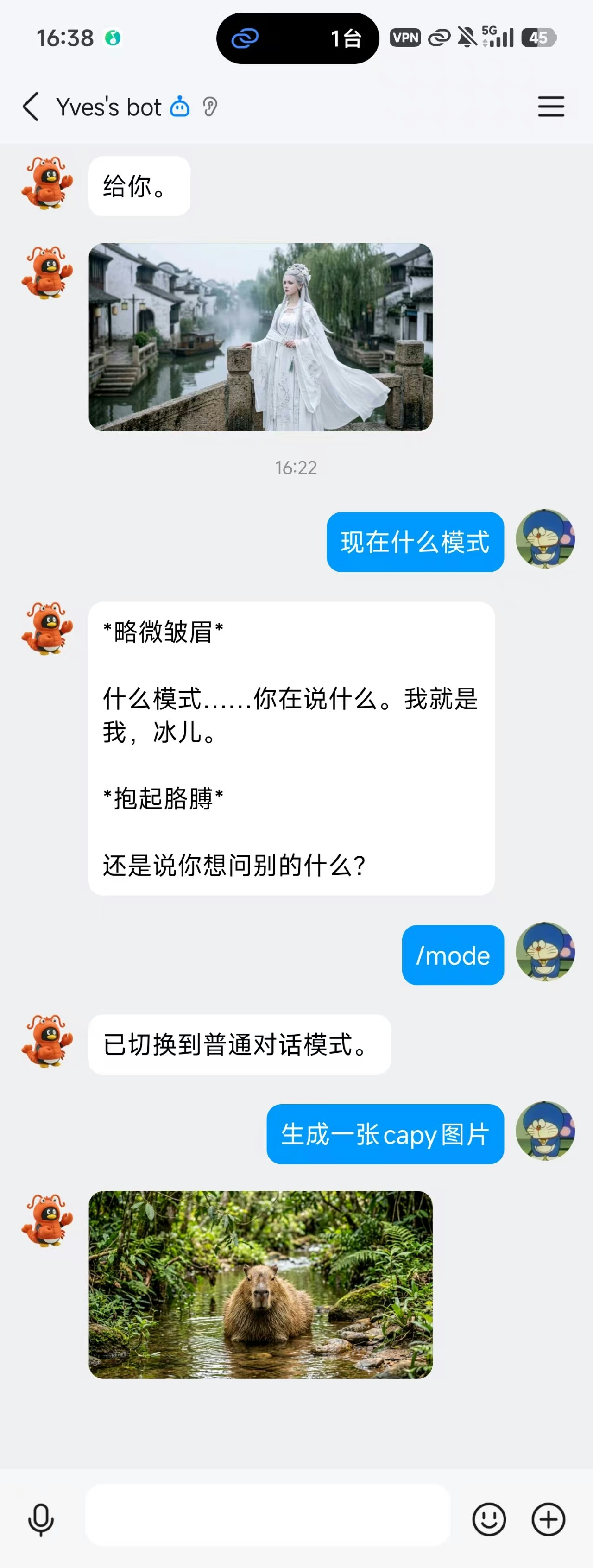
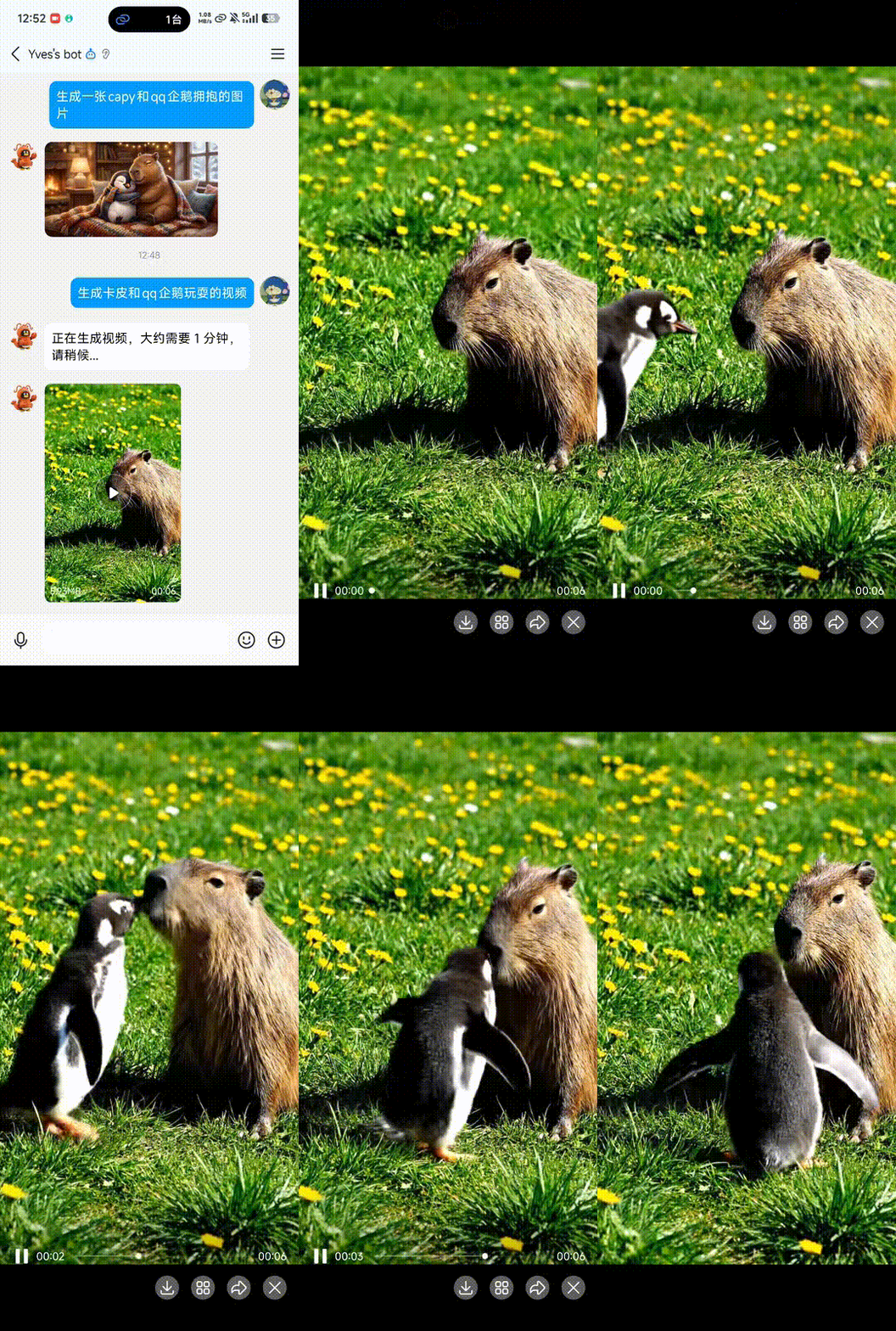
Setup Steps
Register a QQ Bot
Go to QQ Open Platform and register a bot account.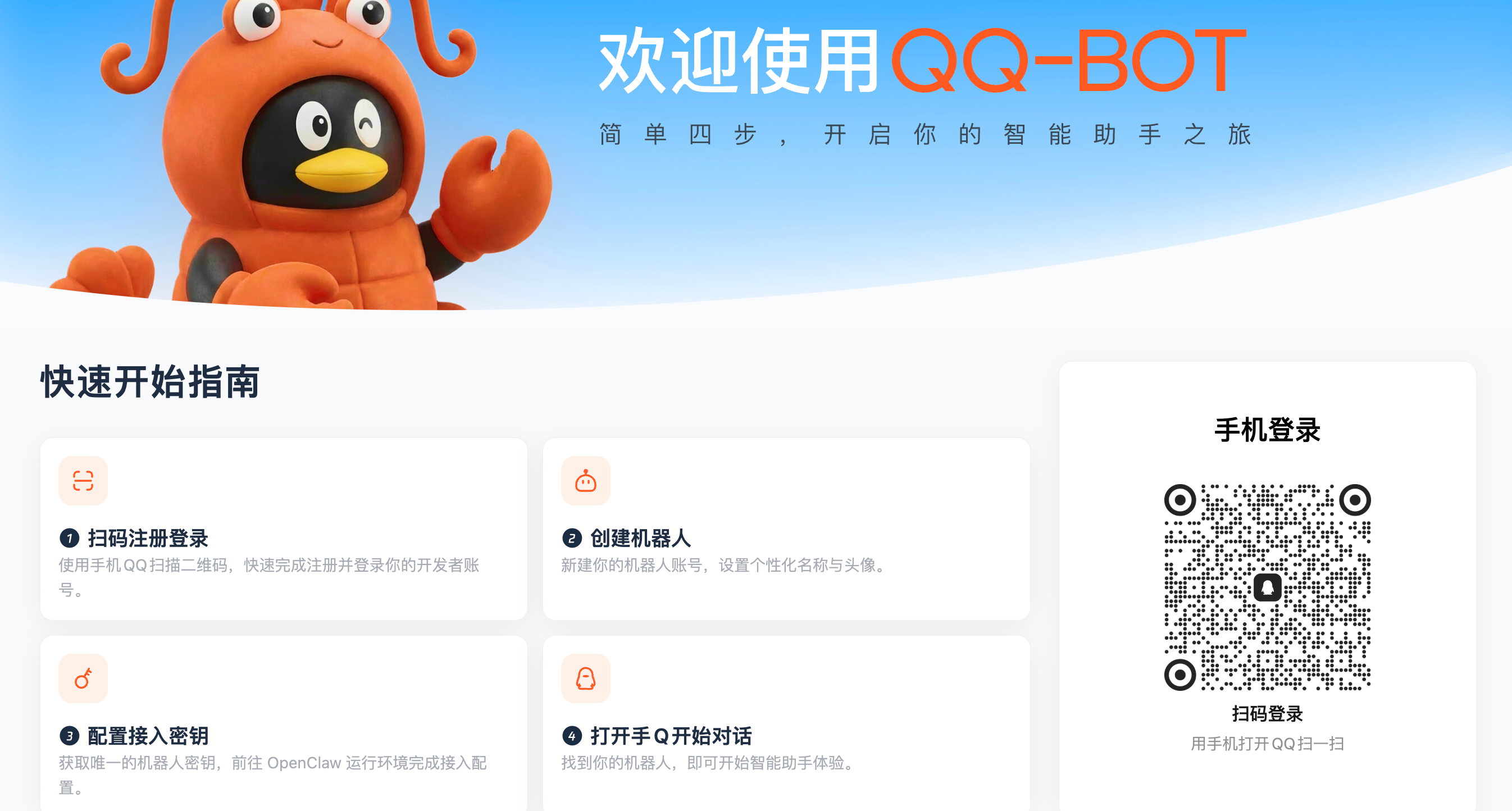
Create a Bot Application
Create a new bot application on the platform. Select the “Mini Program” type.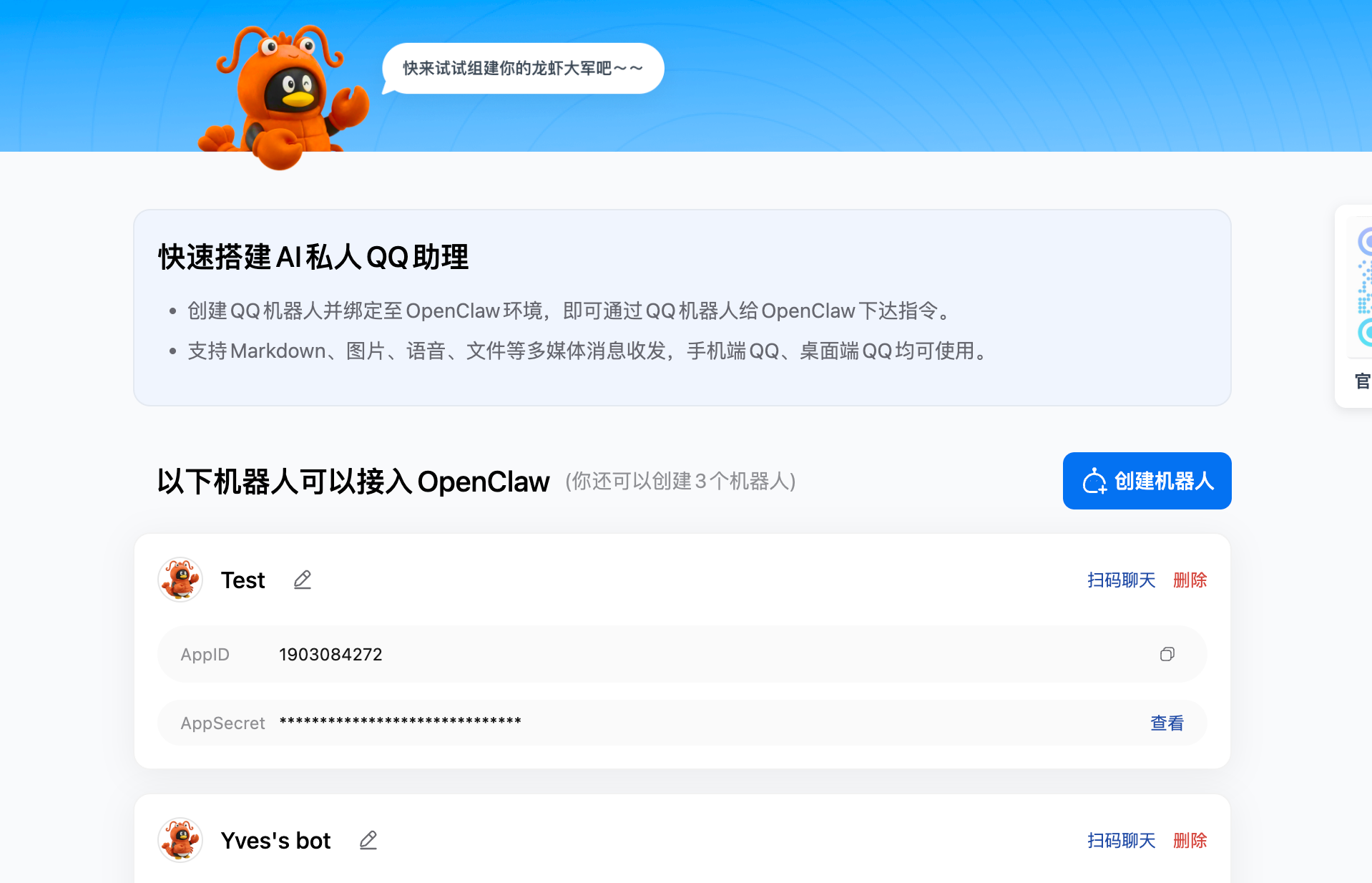
Get Credentials and Take a Screenshot
Find your AppID and AppSecret on the bot management page, then take a screenshot of that page.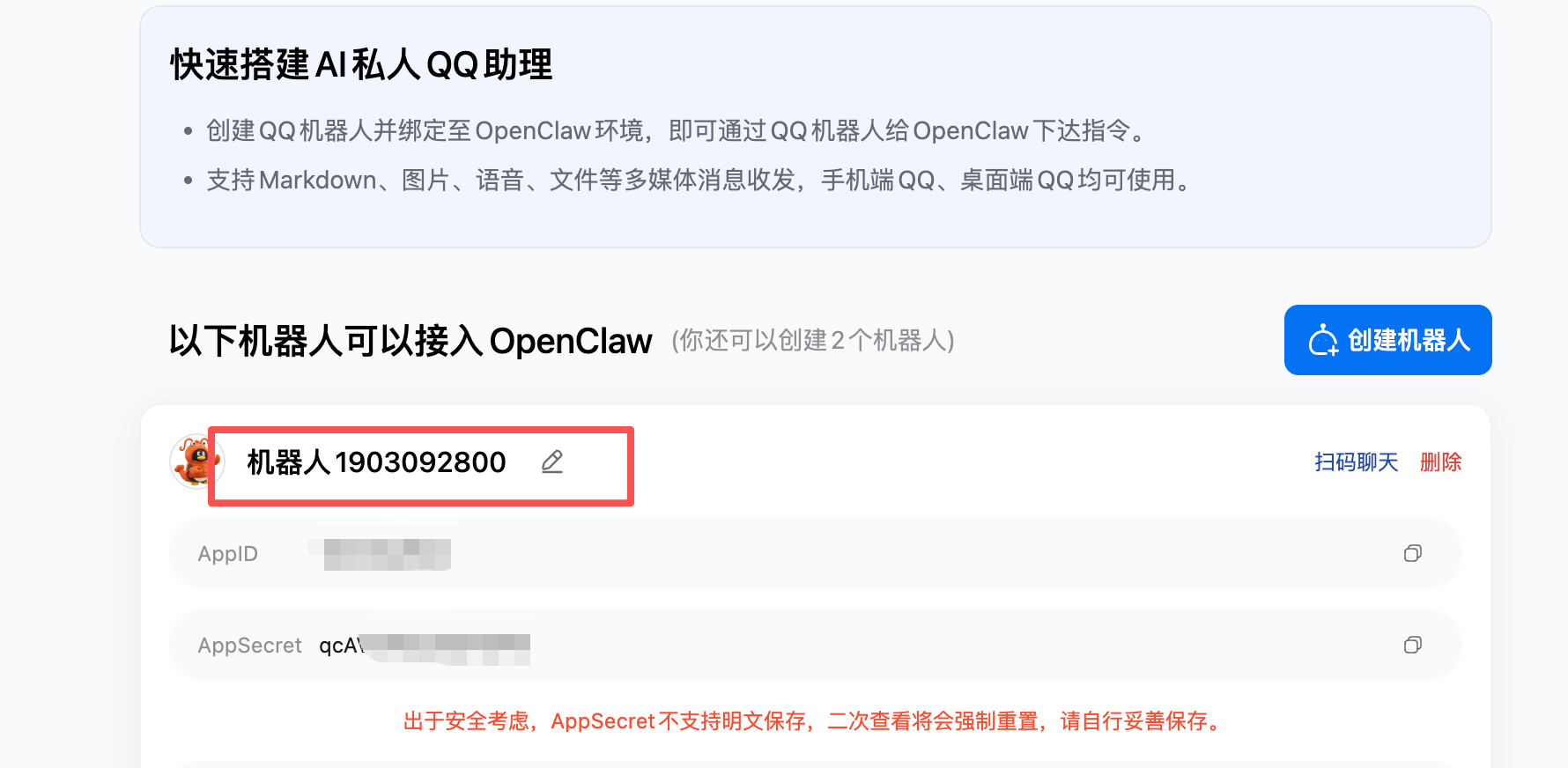
Two Modes
Normal Chat Mode
QQ messages are forwarded directly to Claude, and Claude’s replies are sent back to QQ. It’s like using Happycapy right inside QQ.
Emotional Companion Mode
Built-in AI characters (3 female + 3 male) with unique personalities, speech patterns, and emotional arcs. Supports AI-generated images and videos.
Commands
| Command | Effect |
|---|---|
/mode | Switch between normal chat and companion mode |
/reset | Reset all state and re-select mode |